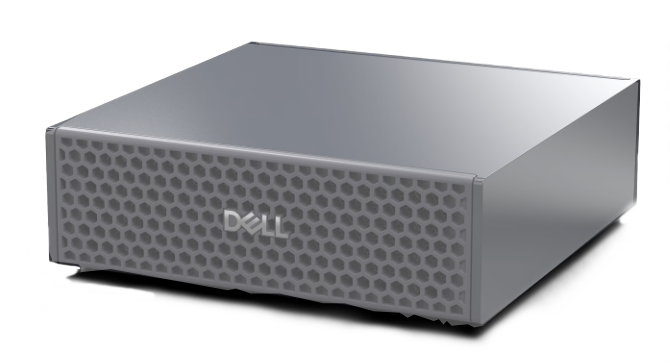
QOSCPU
Intelligent Quality-of-Service management for Ollama LLM inference workloads, purpose-built for the NVIDIA GB10 Superchip.
Built for the NVIDIA GB10
The GB10 Superchip combines ARM CPU cores with an integrated NVIDIA GPU, making it the ideal edge inference platform.
| Component | Specification | QOSCPU Integration |
|---|---|---|
| Efficiency Cores (x10) | ARM Cortex, 2808 MHz | Per-core heatmap, E-cycle tracking, QoS allocation |
| Performance Cores (x10) | ARM Cortex, 3900 MHz | Per-core heatmap, P-cycle tracking, priority routing |
| NVIDIA GPU | SM @ 2398 MHz, 20W TDP | GPU-cycle billing, power-based utilization, real-time charts |
| Memory | Unified CPU+GPU memory | Memory usage monitoring per model |
| Networking | Gigabit Ethernet | Reverse proxy, WebSocket real-time streaming |
Core Features
Everything you need to manage, monitor, and bill Ollama inference workloads on your GB10.
Real-time Monitoring
Live CPU and GPU metrics streamed via WebSocket. Per-core heatmaps with E/P core differentiation, updated every second.
QoS Rule Engine
Condition-based rules combining user, model, time, and resource thresholds. Actions include throttle, deny, allocate cores, and priority routing.
CPU Core Allocation
Assign specific E-cores and P-cores to users or models via QoS rules. Visual core allocation feedback on the heatmap with yellow ring indicators.
GPU Tracking
Power-based GPU utilization when NVML reports 0%. GPU cycle counting per request with real-time charts and per-user billing integration.
Usage Billing
Per-transaction and per-CPU-cycle billing modes. E/P/GPU cycle breakdown, CO2/year estimation, and per-user invoice generation.
Multi-user Management
Role-based access (Admin, Operator, User). API key authentication, JWT tokens, concurrent request limits, and full audit trail.
Smart Alerts
Threshold-based alerts for CPU, GPU, memory, and queue depth. Severity levels (info, warning, critical) with acknowledgement workflow.
Go CLI Client
Compiled Go binary for direct chat with Ollama through the QoS proxy. API key auth, model selection, streaming responses with token stats.
Live Dashboard
At-a-glance system health with KPI cards, real-time charts, core heatmaps, and active request tracking.
System Overview
The dashboard provides instant visibility into your GB10 inference workload:
- Active requests, CPU/GPU usage, and queue depth KPI cards
- Real-time 60-second area charts for CPU and GPU
- CPU core heatmap with E-core (teal) and P-core (purple) differentiation
- Active request table with user, model, duration, and resource allocation
- Ollama-allocated cores highlighted with yellow ring
CPU & GPU Monitoring
Dedicated detail pages for CPU and GPU with historical charts, per-core breakdown, and circular gauges.
CPU Detail Page
Deep dive into CPU performance with per-core resolution:
- Physical/logical core count, global usage, active requests
- Real-time + historical area charts with selectable time range (1h, 6h, 24h, 7d)
- Per-core multi-series chart: teal for E-cores, purple for P-cores
- Circular gauge with color-coded thresholds (green/yellow/red)
- Core heatmap with allocation indicators
GPU Detail Page
Full GPU monitoring with power-based utilization fallback:
- GPU name, utilization, temperature, and power consumption
- Circular utilization gauge with threshold colors
- Memory usage progress bar (used/total)
- Real-time + historical GPU utilization charts
- Power-based estimation when NVML returns 0% (GB10 specific)
QoS Rule Engine
Define conditions and actions to intelligently manage inference workloads. Prioritize users, allocate cores, throttle or deny requests.
Rules Management
The rule engine evaluates conditions in priority order and triggers actions:
- Conditions: user, model, time window, CPU/GPU threshold, queue depth, concurrent requests
- Actions: allow, deny, throttle, set priority, allocate E/P-cores, rate limit
- Toggle rules active/inactive with instant effect
- Priority-based evaluation (0-100, higher = first)
- Per-user dropdown for user-specific rules
Usage Billing
Per-user invoicing with CPU/GPU cycle tracking, CO2 estimation, and configurable pricing modes.
Billing Dashboard
Comprehensive cost tracking and environmental impact:
- Three billing modes: per-transaction, per-CPU-cycle, combined
- E-core, P-core, and GPU cycle breakdown per user
- CO2/year estimation using Swiss grid factor (128 g/kWh)
- Cost distribution charts (bar + pie)
- Per-user invoice table with override editing
- Selectable period: 24h, 7 days, 30 days, all time
System Architecture
A containerized microservice stack running on the GB10, orchestrated via Podman Compose.
Technology Stack
FastAPI + SQLAlchemy
Async Python backend with Alembic migrationsReact 18 + TypeScript
Vite 6 SPA with TailwindCSS and RechartsGo CLI Client
Zero-dependency binary, cross-compiled ARM64NGINX
Reverse proxy with SSL terminationPostgreSQL 16
Persistent storage with async driverRedis
Caching and real-time pub/subOllama
LLM inference engine with CUDA accelerationPodman Compose
Multi-container orchestrationGo CLI Client
A compiled, zero-dependency binary for direct Ollama chat through the QoS proxy. Available for Linux ARM64 and Windows x64.
Terminal Chat Interface
Chat directly with any Ollama model through the QoS proxy:
- API key or JWT authentication
- Interactive model selection from available models
- Real-time streaming responses with token stats
- Conversation history management
- Commands: /quit, /clear, /model, /history, /help
- 5.4 MB binary, no runtime dependencies
QOSCPU Chat Client
GB10 inference via QoS proxy
Authentification... OK
Chargement des modeles...
Modeles disponibles :
1) mistral:7b 7.2B Q4_K_M (llama)
2) qwen2.5:72b 72.7B Q4_K_M (qwen2)
3) translategemma:27b 27.4B Q4_K_M (gemma3)
4) olmo-3:latest 7.3B Q4_K_M (olmo3)
Choix [1-4]: 1
Modele: mistral:7b
vous > Explain what Quality of Service means for LLM inference.
mistral:7b > Quality of Service (QoS) for LLM inference refers to the management and allocation of computational resources -- CPU cores, GPU cycles, memory, and network bandwidth -- to ensure fair and predictable performance across multiple concurrent users. It encompasses request prioritization, rate limiting, core pinning, and usage tracking to prevent any single user or workload from monopolizing the shared hardware.
[82 tokens, 16.4 tok/s, 5.0s total]
vous > /quit
Au revoir!